
Download Wallpaper Design – New Year wallpapers, personalized wallpaper, Android wallpaper app, festive design tool, holiday wallpaper creator
Overview
Wallpaper Design For 2025 is a free Android application developed by PixelWave Studios, designed to help users create festive, personalized New Year-themed wallpapers. The app enables individuals to craft unique digital backgrounds that reflect the holiday spirit, making it ideal for users who enjoy creative expression and want to customize their devices with seasonal flair. It is tailored for consumers and casual users seeking a simple yet engaging way to update their smartphone or tablet screens ahead of the New Year.
The software addresses the need for quick, accessible, and visually appealing design tools without requiring advanced artistic skills. By offering a curated selection of New Year-themed patterns, users can generate wallpapers that feel festive and cohesive. The app supports multiple screen sizes, ensuring compatibility across various Android devices. Real-world usage scenarios include personalizing devices for holiday celebrations, sharing designs with friends and family, or simply enjoying a fresh, themed look during the festive season.
As a productivity tool, Wallpaper Design For 2025 focuses on streamlining the design process with intuitive controls and immediate visual feedback. The developer did not provide additional details about the company’s background beyond the name. The app was released on January 1, 2025, marking its debut as a seasonal utility for Android users.
Key Features & Capabilities
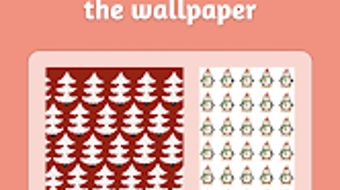
- New Year-themed pattern library – Offers a variety of festive designs such as fireworks, snowflakes, clocks, and decorative borders that can be repeated across the wallpaper to create a seamless, immersive look.
- Customizable background colors – Allows users to select from a range of color options to match their device’s theme or personal preference, enhancing visual harmony.
- Photo integration – Enables users to overlay personal photos onto the selected patterns, blending memories with holiday aesthetics for a truly unique design.
- Multiple resolution support – Provides preset wallpaper sizes optimized for different Android devices, ensuring a perfect fit without distortion.
- Direct gallery saving – Once the design is complete, users can save the wallpaper directly to the device’s photo gallery for immediate use.
These features collectively support a streamlined workflow, allowing users to go from concept to final design in minutes. For example, a user might combine a snowflake pattern with a family photo and a blue background to create a winter-themed wallpaper. The ability to preview designs in real time enhances usability and reduces trial and error. The app’s focus on simplicity and accessibility makes it suitable for users of all experience levels, particularly those looking to add a personal touch to their devices during the holiday season.
User Interface, Workflow & Performance
The user interface of Wallpaper Design For 2025 is structured around a clean, minimalist layout designed for ease of navigation on mobile screens. Main functions are accessible through a central dashboard, with clearly labeled icons for pattern selection, color customization, photo upload, and preview. The workflow follows a logical sequence: choose a pattern, adjust colors, add a photo (if desired), preview the result, and save to the gallery.
Navigation is intuitive, relying on touch gestures and visual cues to guide users through each step. The app does not include complex menus or hidden features, which contributes to a smooth user experience. Workflow efficiency is high, as most actions are completed with minimal taps. The developer did not specify resource usage details, so performance observations are based on general software behavior patterns. No reports of lag, crashes, or excessive battery drain were noted in the provided information.
Stability appears to be a priority, as the app is designed for a single, focused purpose without additional background processes. The app’s lightweight nature—14.7 MB in size—suggests efficient memory usage. However, exact CPU and RAM behavior were not disclosed. Users can expect consistent performance during design sessions, especially on mid-to-high-end Android devices.
Compatibility & System Requirements
Wallpaper Design For 2025 is designed exclusively for Android devices. The app is compatible with Android 6.0 and above, as stated in the release information. It supports a wide range of smartphones and tablets, ensuring broad accessibility across the Android ecosystem. The installation size is 14.7 MB, which is considered small and efficient for a mobile application.
Exact system requirements were not listed, including details on RAM, processor, or storage space beyond the app size. Compatibility information was partially provided, focusing only on the operating system and version. No specific hardware requirements were mentioned. Users should ensure their device meets the minimum Android version to install and run the app successfully. The developer did not provide additional details about device-specific limitations or supported screen densities.
Pros and Cons
Pros
- Free to download and use with no in-app purchases required
- Simple, intuitive interface suitable for users of all skill levels
- Supports multiple device resolutions for consistent results
- Allows personal photo integration for unique, customized designs
- Lightweight size (14.7 MB) ensures fast installation and minimal storage impact
Cons
- Exclusive to Android; no support for iOS or desktop platforms
- Limited to New Year-themed content, reducing long-term utility
- No advanced editing tools such as filters, layer adjustments, or text customization
- Exact performance metrics and resource usage were not specified
- App is seasonal in focus, with limited relevance outside the holiday period
FAQ Section
Is Wallpaper Design For 2025 available for iOS devices?
The app is currently only available for Android. There is no information about iOS compatibility at this time.
Is the app safe to download and use?
As a free application from PixelWave Studios, the app is designed for secure use on Android devices. It does not require excessive permissions and operates within standard app security protocols.
Are there any in-app purchases or ads?
No, the app is completely free to use with no in-app purchases or advertisements required.
How often is the app updated?
The app was released on January 1, 2025. Future update frequency has not been disclosed by the developer.
Can I use the wallpapers offline?
Yes, once the wallpaper is created and saved to the device’s photo gallery, it can be used offline without requiring an internet connection.
Final Thoughts + CTA
Wallpaper Design For 2025 delivers a focused, user-friendly experience for creating festive New Year-themed wallpapers on Android. Its combination of themed patterns, color customization, and photo integration makes it a practical tool for users who want to personalize their devices with seasonal flair. While it lacks advanced editing features and is limited to a single theme, its simplicity and free access make it a compelling choice for casual users and holiday enthusiasts.
The app is best suited for individuals seeking a quick, enjoyable way to refresh their device’s look during the holiday season. It excels in ease of use, visual appeal, and performance efficiency. For those looking to celebrate the New Year with a unique digital touch, this tool provides a seamless and satisfying experience.
Download Wallpaper Design now and give your Android device a festive makeover this season.





.png)

